
Playbunny app
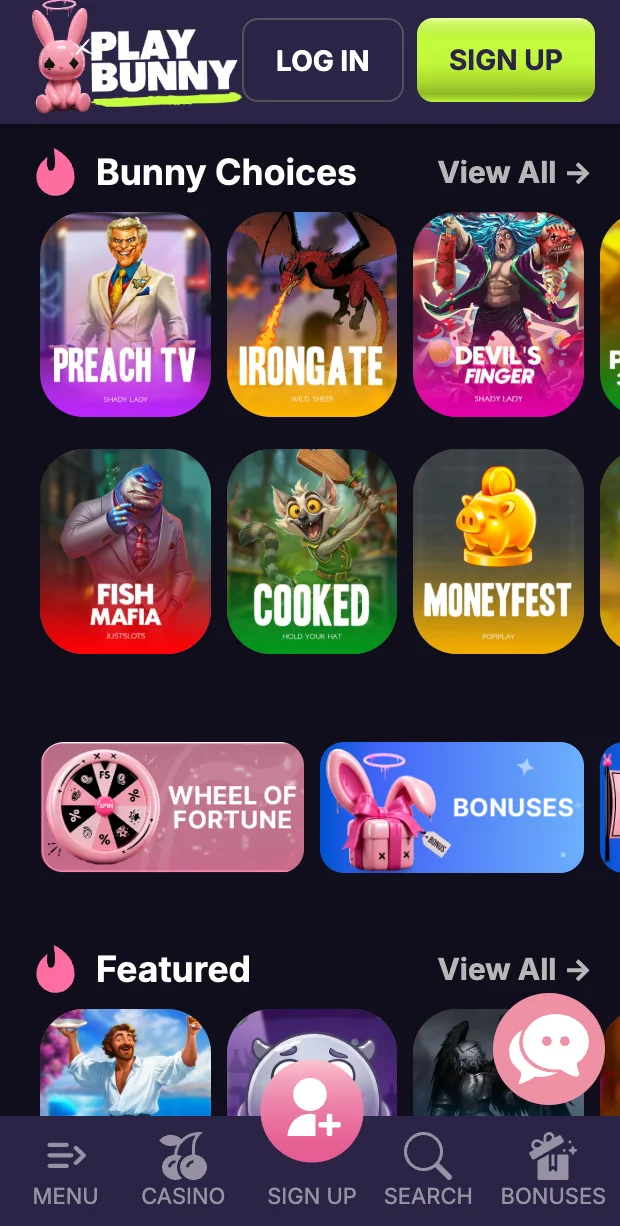
The Playbunny app brings our 9,000+ games, live tables and cashier together with the same login you use in your browser. Touch controls support portrait and landscape play, letting you choose a comfortable view for slots or a dealer’s table. Players in Canada can manage deposits, withdrawals and bonus activity without creating another profile. Access is for adults aged 19+ only. Before starting, choose a spending limit and leave enough time to read each game’s rules.
How to Download the Playbunny app
We offer Playbunny Casino through the App Store for Apple devices and Google Play for Android, keeping installation within familiar store controls. Players in Canada can also open our website without installing anything. That browser option keeps access available when storage space is limited or a handset cannot meet the application’s system requirements.
| Device | Minimum System | Size | Source | Install Time |
|---|---|---|---|---|
| iPhone and iPad | iOS 15.0 or later | 168 MB | App Store | About two minutes |
| Android phones and tablets | Android 10.0 or later, 3 GB RAM | 126 MB | Google Play | About two minutes |
| Mobile browser | Chrome, Safari, Firefox | No installation | play-bunny.net | No installation |
For Android Phones and Tablets
- Open play-bunny.net in Chrome on your handset or tablet.
- Enter our application section to find installation options.
- Follow the Google Play link and download the application.
- If using a website installation file instead, allow installation from that source once when Android requests permission.
- Open the installed application, then log in or register.
For iPhone and iPad
- Open play-bunny.net in Safari on your Apple device.
- Find our application section through the website menu.
- Follow its link to the App Store listing.
- Confirm installation with Face ID or your Apple ID password.
- Launch the application and log in or create a profile.
We request network and notification permissions, never access to contacts, photos or location.
Logging In and Getting Started
Use your email and password to enter the Playbunny app, then enable biometric access through Profile > Settings > Security for future visits. Registration requires an email address, password, date of birth and country, with an optional promo code field. Confirm your age before continuing. Players in Canada use the same credentials across browser and mobile sessions. After registration, open Profile > Cashier > Deposit and select the welcome package before sending a qualifying payment.
Keep your password private. If another person uses your tablet, sign out before handing it over rather than leaving a session open.
Games and Features in the Playbunny app
Our full catalogue remains available on mobile, rather than a smaller selection reserved for handheld screens. Browse categories, read rules and choose between individual rounds or live dealer sessions.
- Slots include 777 Strike Mega Charged, Sizzling Hot Deluxe and Whispering Pixie Wilds, giving you distinct themes to explore.
- Live Casino includes Deluxe Blackjack and Gravity Roulette, with table information available before joining.
- Table Games brings together Blackjack, Roulette and Baccarat for players who prefer familiar card or wheel formats.
- Crash and Instant Games includes Aviatrix Fruits alongside dedicated categories for shorter rounds.
- Hold & Win includes Classic Chilli Hold & Win and Twin Buffalo Hold and Win within our wider slot selection.
At Playbunny Casino, games load through the mobile browser engine using Wi-Fi or mobile data. Connection quality matters during live sessions, so choose a stable connection before joining a table. Players in Canada can use home internet or services such as Rogers and Bell. Read each title’s controls before wagering, especially when switching between a touchscreen slot and a live dealer interface.
For longer sessions, keep a charger nearby and silence unrelated notifications. Rotate your screen only when comfortable, and finish any active decision before switching applications.
Deposits and Withdrawals on Mobile
The Playbunny app gives you a single cashier for money entering or leaving your balance. Open Profile > Cashier > Withdraw for payout requests. Players in Canada should use payment details held in their own name, not another person’s card or wallet.
| Item | Details |
|---|---|
| Minimum deposit | C$20.00 |
| Maximum deposit | Payment method, account history and player limits |
| Minimum withdrawal | C$20.00 |
| Maximum withdrawal | C$6,288 daily; C$15,720 weekly; C$31,440 monthly |
| Deposit methods | Visa, Mastercard, iDebit, InstaDebit, Skrill, Neteller |
| Withdrawal methods | Original deposit method where supported |
| Processing time | Payment processing and applicable verification |
| Fees | Generally no deposit fee; no withdrawal commission after x1 deposit wagering; possible processing or conversion costs |
| Account currencies | CAD |
Payment selection in the Playbunny app includes familiar card and wallet options, keeping funding controls close to your balance. Choose a method you already manage on mobile to reduce manual entry. Review its payment screen before confirming, including any currency conversion or external charge.
Withdrawals follow the original deposit method by default, using a first-in, first-out approach. Alternative routes can require additional verification. Deposited funds must meet the x1 wagering requirement before withdrawal without commission.
Identity, anti-money-laundering and Source of Funds checks can apply before payout processing. Keep supporting documents ready, and avoid making another deposit merely to speed up a pending request.
Claiming Bonuses on Your Phone
At Playbunny Casino, our welcome package works across mobile and browser: up to C$3,100 plus 150 Free Spins across four deposits. The first provides 100% up to C$790 plus 100 Free Spins on 3 Pyramids of Gold: Hold & Win, with a C$31 minimum deposit. The second provides 125% up to C$790; the third, 75% up to C$790. The fourth adds 100% up to C$790 plus 50 Free Spins. Select the 1st Deposit Welcome Package before depositing; spins arrive automatically.
The Playbunny app also supports our weekly reload of 40% up to C$314.40, requiring a C$31 deposit and opt-in. Game of the Week currently features Copium by Hold Your Hat: make an eligible deposit, wager on that title and complete its tasks for Free Spins. Follow progress through Profile > Rewards > Active Bonus. Bonus funds carry 35x wagering with a 14-day validity period.
Read an offer’s conditions before opting in. A bonus changes how qualifying funds are used, so consider whether its requirements suit the amount you intended to spend.
Account Security and Licence
Playbunny Casino operates under the Anjouan licence ALSI-202411025-FI1. Through Security, enable Face ID or fingerprint access and optional two-factor login. Inactive sessions close after 15 minutes. We retain no information on your handset beyond what login requires. Players in Canada should keep their operating system updated and protect the email address linked to their profile, since access to that inbox supports account administration.
Only one profile per person is permitted in the Playbunny app, with checks involving email, device and payment method. VPN use is prohibited and leads to account restriction. Never share credentials or let someone else fund your balance. Play as entertainment within a budget set before the first deposit.
Frequently Asked Questions
Is the Playbunny app Available in the App Store and Google Play?
Yes, our native application is available through both stores. Start from the website’s application section and follow the appropriate store link. Compare your operating system with the requirements before installation, particularly on an older handset.
Do I Need a New Account for Mobile Play?
No, use your existing email address and password. Browser and mobile access share one profile, so creating another registration is unnecessary. Your existing balance and bonus activity remain connected when you change how you sign in.
Which Payment Methods Work on My Phone?
Visa, Mastercard, iDebit, InstaDebit, Skrill and Neteller are among our supported options. Bitcoin, Ethereum (ETH), Tether (USDT) and Paypal are also listed payment methods. Use the cashier to select an available route and review its transaction details before confirming.
Can I Join Live Casino Tables on Mobile?
Yes, live tables run within our mobile offering. Choose titles such as Gravity Blackjack, EMA Baccarat or Roulette VIP, then read table limits and rules before joining. A stable internet connection helps keep the dealer stream and betting controls responsive.
Can I Claim the Welcome Offer From My Handset?
Yes, select the welcome package in Deposit before making your qualifying payment. Free Spins are credited automatically. Open Active Bonus afterwards to follow progress, and read the conditions before deciding whether to use bonus funds.
What Should I Do if Installation Fails or My Device Is Incompatible?
Use the mobile browser instead, with no installation required. For help with compatibility, email support@play-bunny.net with your handset model and operating system version. We reply within 24 hours; never include your password in that message.
How Do I Contact Playbunny Casino Support From the Application?
Open Profile > Support > Help to reach live chat, available 24/7. Explain what happened and include any error message. For payment questions, identify the transaction without sending complete card details, passwords or login verification codes.
Download the Playbunny Casino App
We bring games, live tables and your existing browser account together on mobile for players in Canada. Download the Playbunny Casino native app from the App Store for iOS or Google Play for Android. Our welcome package offers up to C$3,100 plus 150 Free Spins across your first four deposits. Select the welcome package in the cashier before making a qualifying deposit.
Keep your existing account. Choose your mobile screen.
Last updated: